
Predefined Remarks are reusable text templates that officers can select when issuing a citation. Instead of typing the same notes repeatedly, guards can simply check a box to add detailed context to a violation. This ensures professional consistency and speeds up field entry significantly.
How to Create a Predefined Remark
Navigate to the Web Portal.
Go to Enforcement > Predefined Remarks.
Click the + Add Remark button.
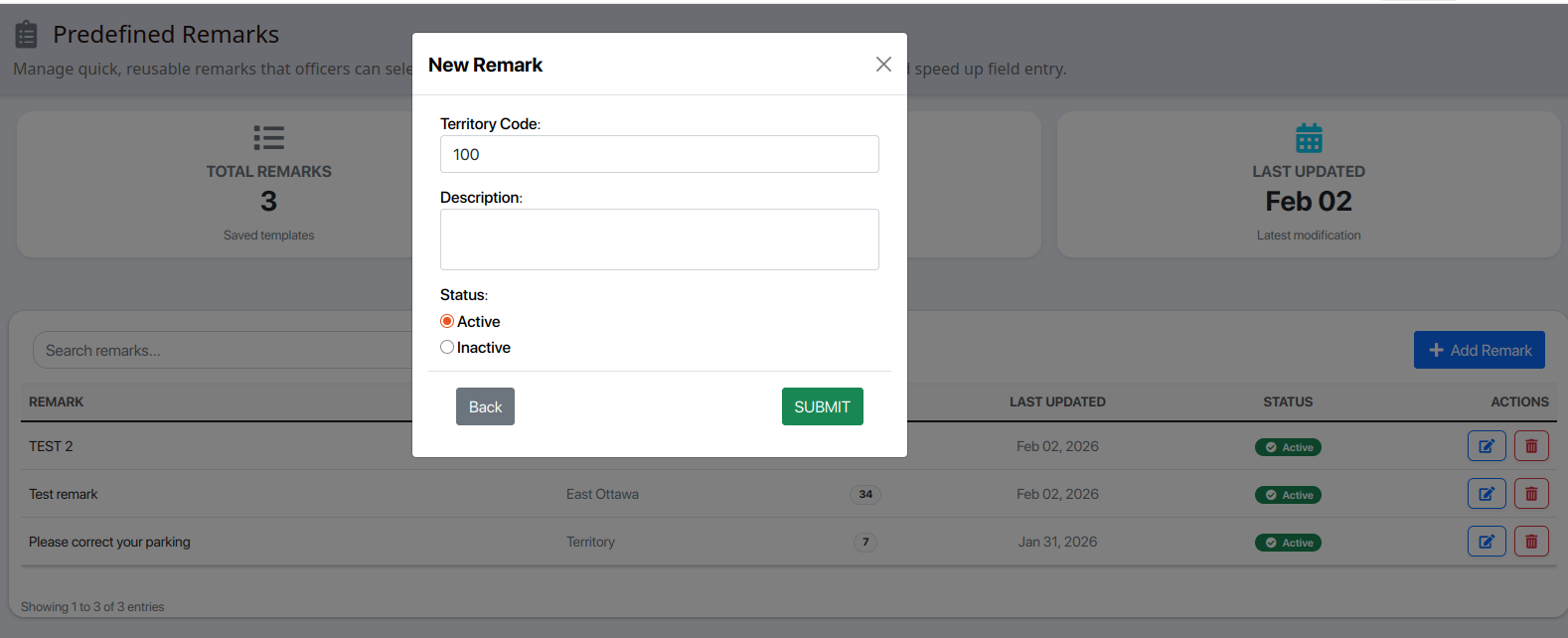
In the pop-up window, configure the following:
Territory Code: Enter the code for the specific area where this remark should be available.
Description: Type the exact note you want the officer to see (e.g., "Vehicle parked over the line").
Status: Ensure Active is selected so it appears for your officers.
Click Submit.
Using Remarks in the Field
Once a remark is created, it becomes available in two primary locations:
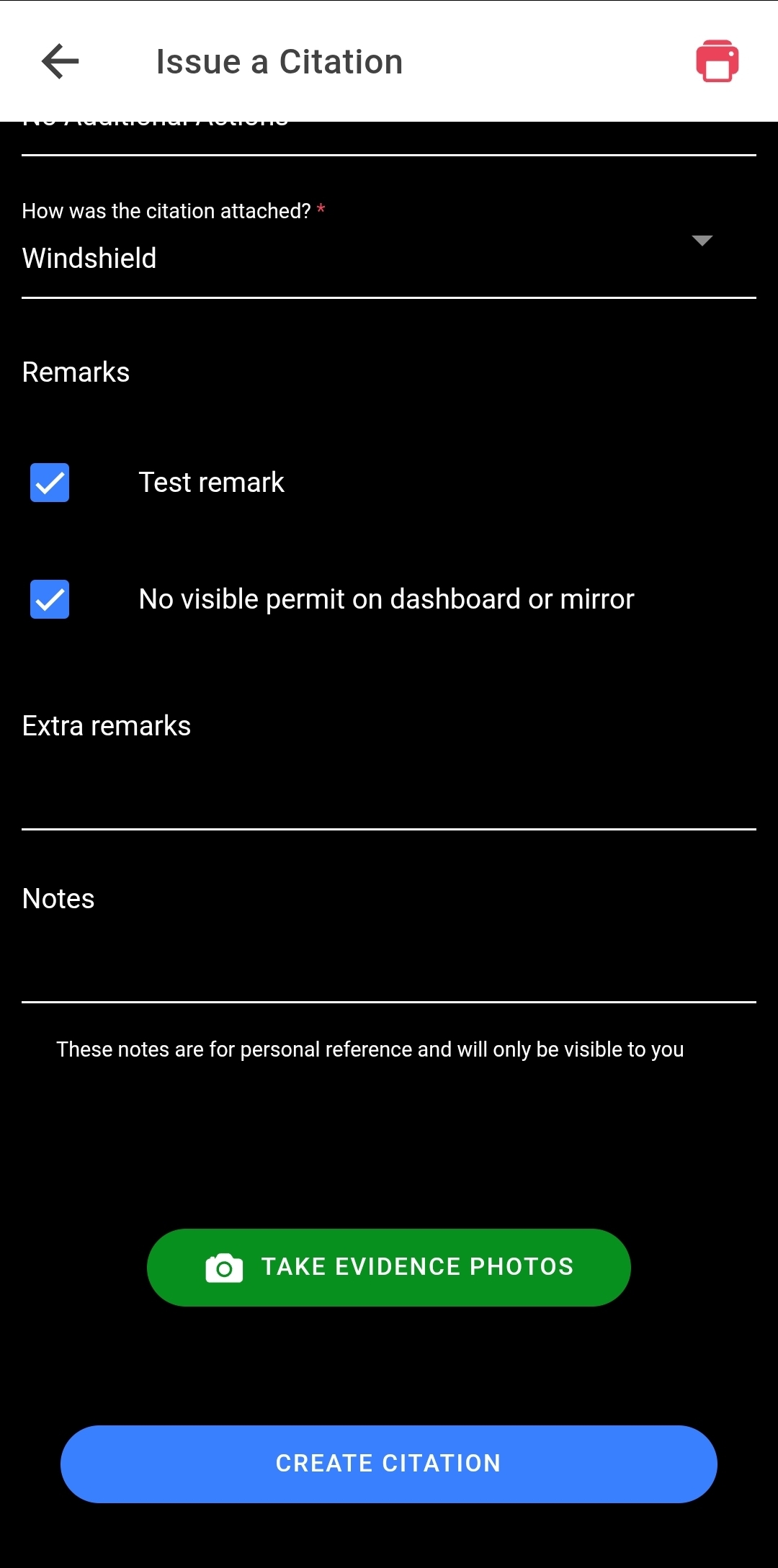
On the Mobile App (Guard View)
When an officer is creating a citation, they don't have to struggle with a mobile keyboard. The Predefined Remarks appear as a list of checkboxes. The officer can select one or multiple remarks to instantly populate the citation notes.
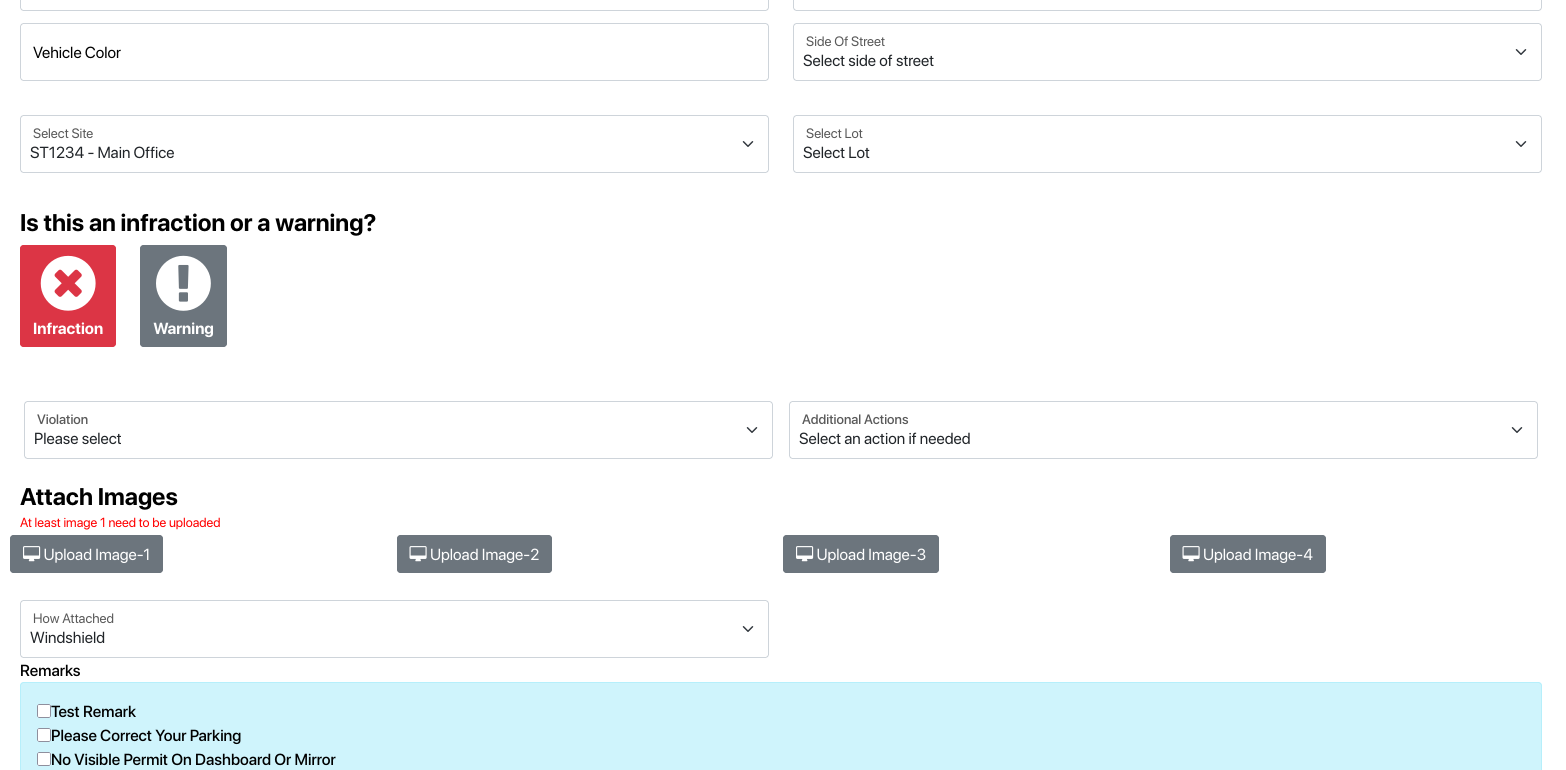
On the Web Portal
Administrators issuing citations or reviewing cases can also use these remarks to maintain a standardized record across the entire organization.
Managing Your List
The Predefined Remarks dashboard allows you to keep your templates organized:
Usage Tracking: See how many times a specific remark has been used (refer to the Usage column in your dashboard).
Territory Filtering: Remarks are filtered by Territory, so officers only see what is relevant to their current location.
Quick Editing: Use the blue Edit icon to update the text or the red Trash icon to remove a remark.
[Insert Screenshot image_12b855.png here]
Examples of Effective Remarks
Territory | Remark Description | Why use it? |
100 | "Photos taken of front and rear plates." | Confirms evidence exists. |
100 | "Vehicle has been banned from guest parking." | Warns of repeat offenses. |
200 | "No visible permit on dashboard or mirror." | Specifically identifies the missing item. |
ALL | "Driver was warned verbally on previous patrol." | Documents a history of warnings. |