
Violation Types allow administrators to standardize the citations issued by officers. By defining codes, descriptions, and fees in the Web Portal, you ensure that every citation issued—whether via the mobile app or the web—is accurate and consistent.
How to Create a New Violation Type
To add a new rule to your system, follow these steps:
Log in to the Web Portal.
In the left-hand sidebar, navigate to Enforcement > Violation Types.
Click the + Add Violation Type button in the top right corner.
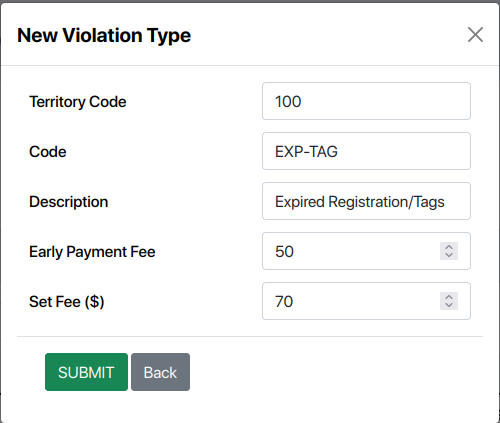
Fill in the following fields in the pop-up window:
Field | Description |
Territory Code | The specific area or zone where this violation applies (e.g., |
Code | A short alphanumeric identifier for the violation. |
Description | A clear title explaining the offense to the violator and the officer. |
Early Payment Fee | A discounted fine amount if paid within a specific timeframe (if applicable). |
Set Fee ($) | The standard total fine amount for this violation. |
Export to Sheets
Click Submit to save the new type.
Synchronization: Web & Mobile
Once a violation is submitted, it is stored in the central database and becomes available across the platform:
For Mobile Officers (Guards)
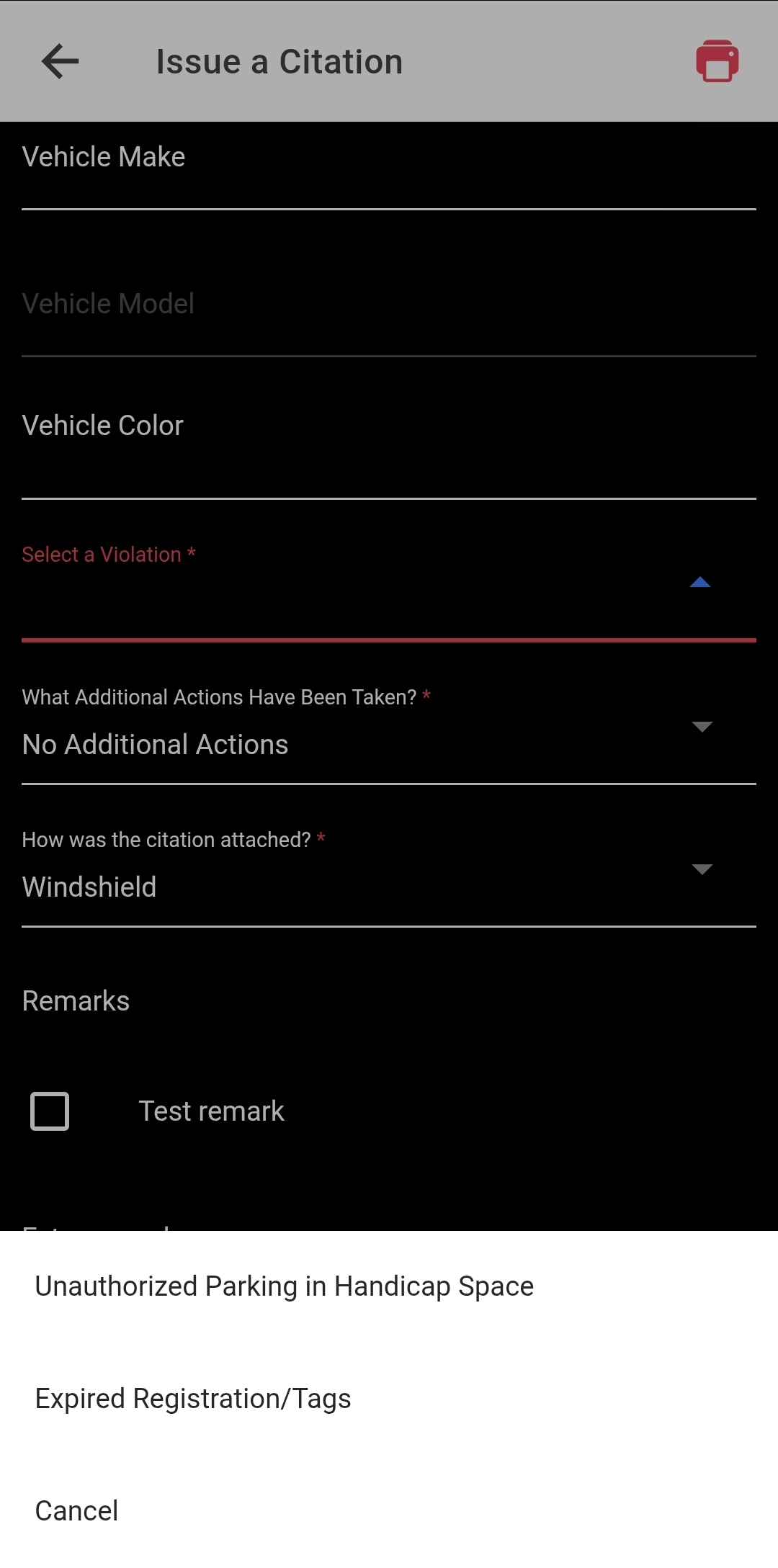
Officers using the mobile app will see these violation types in a searchable list when creating a new citation. The Territory Code ensures that only violations relevant to their current patrol area are visible, reducing errors.
For Web Portal Users
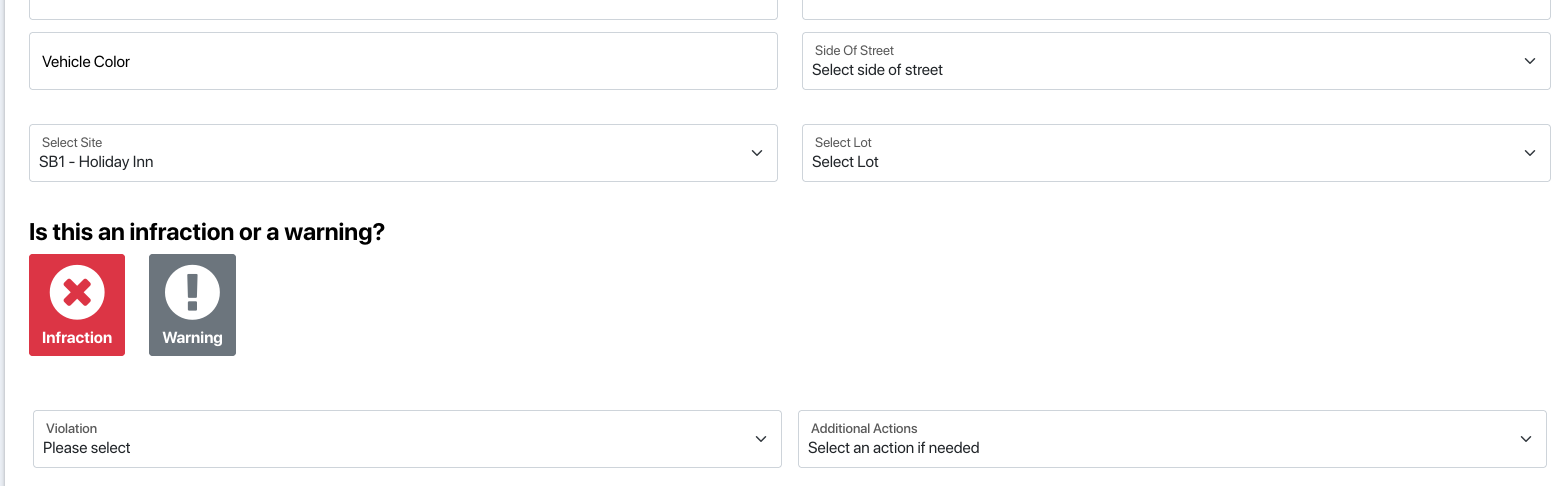
If an administrator or dispatcher needs to issue a citation manually through the Web Portal, the same list of codes and descriptions will be available, maintaining a "single source of truth" for your data.
Managing Existing Violations
On the main Violation Types page, you can also:
Search: Use the search bar to find violations by code, description, or territory.
Track Usage: See the total number of citations issued for each specific type.
Deactivate: Use the Status toggle to remove a violation from the officer's view without deleting its historical data.